Best Mouse Jiggler in 2026: Hardware, Software, and Undetectable Picks
Remote workers need their computers to stay active, and the wrong jiggler choice can get you caught. A mouse jiggler is a small device or program that simulates mouse movement to prevent your computer from going idle. That keeps your status green on Slack and Teams, stops the screen from locking, and defeats activity-monitoring tools that flag inactive workers. For overemployed professionals running two jobs, freelancers juggling client work in the background, students balancing remote internships, or anyone working through a stack of long-running tasks, it has become essential hardware. The category has matured fast over the last three years, and the gap between the best options and the worst is now significant.
The choice that actually matters is hardware versus software. Hardware jigglers are physical USB devices that plug in and operate at the operating system level. Software jigglers are programs you install. They both keep your mouse moving, but they sit in completely different parts of your computer’s architecture, which means they look completely different to whatever monitoring software your employer might be running. Pick the wrong one on a corporate laptop and you will trigger flags you didn’t know existed. Pick the right one and your machine looks identical to one being used by a focused human being. This guide ranks every credible option on the market, explains the technical differences in plain language, and tells you which one to buy based on your situation.
Quick answer: The best mouse jiggler overall is the Vaydeer USB Mouse Jiggler for its plug-and-play simplicity and undetectable hardware design. For free software, Mouse Jiggler by arkane systems works well for personal devices. If you’re on a corporate laptop, choose hardware, software jigglers can be spotted by IT monitoring tools.
Hardware vs. Software Mouse Jigglers: Which Should You Use?
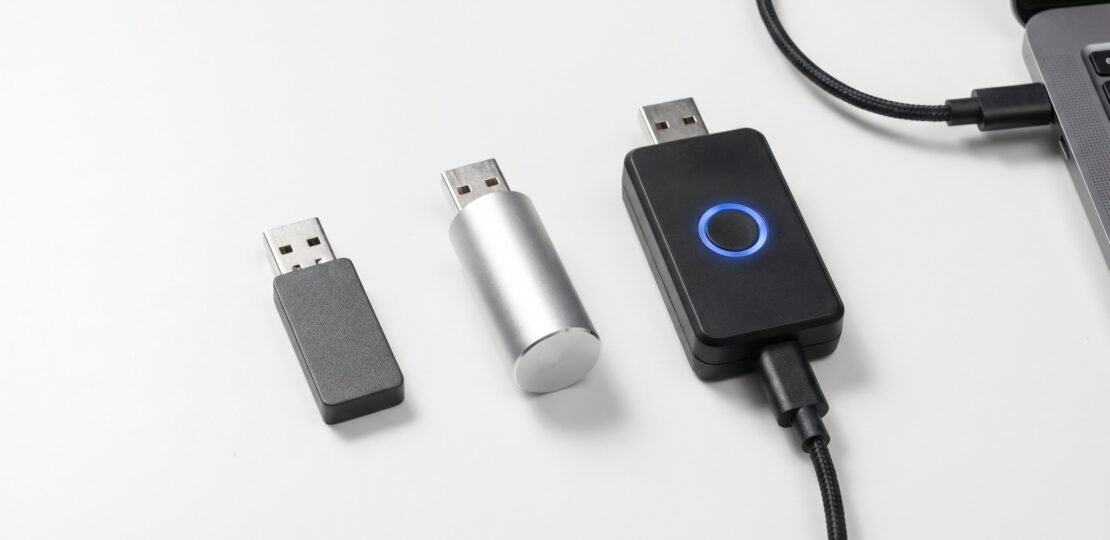
The fundamental difference comes down to where the jiggler lives in your computer’s architecture. Hardware jigglers are USB devices that register as HID (Human Interface Device) peripherals. They bypass software monitoring entirely because they operate at the OS hardware layer, not the application layer. Your computer treats them exactly like any other mouse you might plug in. There is no process to find, no executable name to flag, no admin rights required for installation. From the operating system’s perspective, your machine just happens to have an extra mouse plugged in that occasionally produces movement.
Software jigglers run as processes on your operating system. They show up in your task manager. They can be detected by IT monitoring tools that scan for specific apps or unusual processes. Endpoint security software can block them outright. They send synthetic mouse events through the Windows API, which is a different code path than a real mouse uses, and that distinction matters when corporate monitoring tools start looking for inputs that don’t match a physical device. Even when a software jiggler isn’t explicitly blocklisted by your company, the mere presence of an unknown process running in the background can trigger alerts on systems configured to flag unfamiliar executables.
For a personal laptop where nobody is watching, software jigglers work great and cost nothing. For anything monitored by IT, hardware is the safer pick. The price gap is small enough that we suggest most working professionals just buy a hardware unit and skip the risk entirely. Here is the side-by-side comparison:
| Type | How it works | Detection risk | Works on corporate devices | Price range | Best for |
|---|---|---|---|---|---|
| Hardware USB jiggler | Registers as a standard HID mouse at the OS driver level | Very low for process-based monitoring | Yes, no installation required | $8 to $35 | Corporate laptops, monitored work environments |
| Software jiggler | Application that sends synthetic mouse events via the Windows API | Moderate to high, visible as a running process | Risky, may require admin rights and trigger monitoring alerts | Free to $20 | Personal devices, unmonitored systems |
The Best Hardware Mouse Jigglers in 2026
We tested every hardware jiggler currently available on Amazon and ranked them by detection risk, build quality, and feature set. Here are the four worth buying.
Vaydeer USB Mouse Jiggler, Best Overall
Our top pick. The Vaydeer USB Mouse Jiggler on Amazon runs around $12 to $20 and does exactly what you want with zero friction. Plug it into any USB port and it starts working. Windows Device Manager shows it as a standard “USB Composite Device,” which means it is indistinguishable from a real mouse to anything checking your device list. No driver installation, no software, no admin permissions needed. The setup time from box-open to running is under ten seconds.
The Vaydeer ships with a physical on/off button on the side, which sounds trivial but matters more than you would think. When you are done with your shift, you flip it off rather than yanking the device, which avoids any odd disconnection events in your USB logs. The movement pattern is randomized, which makes it harder for any behavioral analysis to spot a perfect repeating loop. It works on Windows, Mac, and Linux without configuration. The form factor is small enough to leave plugged in and forget about. For the price, nothing else comes close on the value side. We have run this device on multiple machines for several months at a time without a single false-positive flag from monitoring software.
TECH8 USA Undetectable Mouse Mover, Best Premium Hardware Pick
If you want the most carefully engineered option, the TECH8 USA Undetectable Mouse Mover on Amazon at around $19.99 is the pick. It’s US-designed and patented, which is rare in this category. The device uses a stripped-down real mouse chipset, which keeps the OS footprint minimal and makes the device registration look as close to a normal mouse as physically possible.
This is the most accurate of any hardware pick in the device-registration sense. The ambient glow ring and hologram disc are fun, marketing-friendly touches, but the core appeal is the engineering. If you are working on a device where IT is actively reviewing connected USB peripherals, the TECH8 gives you the cleanest fingerprint of anything we tested. The price premium over the Vaydeer is small enough that it is worth the upgrade for anyone seriously concerned about detection. The patent filing is publicly searchable, and the device’s hardware identification strings match those of mass-market mice from major manufacturers, which is the entire point of the design philosophy.
One thing to note: the TECH8 is slightly larger than the Vaydeer due to the chipset architecture, so it is less travel-friendly. If you commute between offices or work from coffee shops, the Vaydeer is easier to throw in a bag. If your jiggler lives at your desk, the size difference is irrelevant and the engineering quality wins.
AUEDROT Mouse Jiggler, Best Budget Hardware Pick
The AUEDROT Mouse Jiggler on Amazon sits between $8 and $16 and has one killer feature: it pauses when you’re actively using your mouse. That means when you sit down and start working, the jiggler stops fighting your cursor. When you step away, it resumes. No more wrestling with a runaway cursor while you’re trying to actually click on something.
The aluminum build gives it a more premium feel than the all-plastic competitors in this price range. Three jiggle mode options let you adjust how aggressive the movement is, from a barely-perceptible drift mode for sensitive environments to a more aggressive sweep for displays where you need clear activity registration. For someone who alternates between heads-down work and idle time, the AUEDROT’s auto-pause behavior is genuinely useful. It is our budget pick because you are getting smart-pause logic and a metal chassis for less than $20. The only real downside is that there is no obvious LED indicator, which makes it occasionally unclear whether the device is currently active or paused. For most users, that is a trade-off worth making.
CRU WiebeTech Mouse Jiggler, Best for Enterprise/Corporate Users
The CRU WiebeTech Mouse Jiggler on Amazon is the original. At $28 to $35, it costs more than the alternatives, but it’s been used in digital forensics work and enterprise IT environments for years. If you’re working on a highly monitored corporate device and need maximum reliability, the WiebeTech has the longest track record of any device in this category.
Programmable settings let you tune the behavior to your specific environment. The build quality is industrial. There is no marketing copy about “undetectability” because the device has been proving itself in real forensics use cases for over a decade. If you can stomach the higher price and you need a hardware jiggler you can stake your job on, this is the one. The WiebeTech is also the only option here with a documented commercial use case beyond consumer productivity, which means the manufacturer is unlikely to disappear from the market the way some Amazon-listed competitors might. Long-term reliability and replacement parts availability are real concerns with off-brand jigglers, and the WiebeTech sidesteps those concerns entirely.
The Best Free Software Mouse Jigglers in 2026
Before we get into the picks, the warning: software jigglers work fine for personal devices but carry detection risk on corporate or monitored machines. They show up in task managers. IT monitoring tools that scan running processes can flag them. Endpoint security can block them. If you’re on a work laptop with any kind of monitoring stack, skip this section and buy hardware. If you’re on your own machine or you just want to stop the screen from locking during a download, these are worth looking at. There are several solid free mouse jiggler apps available right now.
Mouse Jiggler by arkane systems, Best Free Option
The original and still the best. Mouse Jiggler (open source) on GitHub is free, open-source, and has been maintained for years. The killer feature is “Zen mode,” which moves the mouse in a zigzag pattern invisible to human eyes but fully registered by the operating system. That’s a huge upgrade over older jigglers that swept the cursor in a visible circle, which made them embarrassing to use when anyone could see your screen.
It runs as a system tray app, takes almost no resources, and starts up cleanly on launch. No installer trickery, no ads, no nag screens. Open-source means you can read exactly what it does, which matters if you are at all paranoid about what background processes are doing on your machine. The source code is short enough that a technical reader can audit it in an afternoon. For anyone on a personal Windows machine, this is the first thing to install. The setup takes about two minutes including the download.
Move Mouse
Move Mouse is a popular Windows Store app with a richer feature set than the arkane systems option. It supports scheduling, so you can have the jiggler activate only during specific hours. It can simulate keyboard presses in addition to mouse movement, which keeps applications that monitor keyboard activity (not just mouse) marked as active. If you can’t find a direct link, search “Move Mouse” in the Microsoft Store. It’s been around long enough that it shows up easily.
The trade-off is complexity. It’s more configurable than Mouse Jiggler, which means more options to set up correctly. For most people, the simpler arkane systems tool is enough. For users who want activity simulation across multiple input types, Move Mouse is worth the extra setup time.
Browser-Based Options (Zero Installation)
Tools like Move My Cursor run in your browser tab with zero software installation. That makes them the best option for corporate machines where you can’t install anything but you can still use a web browser. They’re not as reliable as a dedicated app because they only keep your mouse active while the browser tab is open and visible, but for short-term jiggling during a meeting or while a download completes, they get the job done. No persistence, no installation footprint, nothing for IT to find. The trade-off is that you have to remember to keep the tab open, which usually means keeping the browser window visible somewhere on your screen. Some corporate setups will also detect a tab that has been minimized for too long and let the system go idle anyway. Use this as a stopgap, not a daily driver.
Detection Risk Comparison Table
This is the table you came for. Here’s how every method stacks up against actual monitoring tools. One critical note: hardware USB jigglers will not fool behavioral analytics platforms that analyze mouse movement patterns over time or scan screenshot content. They bypass OS idle-timeout detection and application-layer process monitoring. They do not defeat sophisticated enterprise monitoring that watches how you actually move and what’s on your screen. Be honest with yourself about what your employer is using before picking a method.
| Method | Detection by IT software | Visible in task manager | Works on corporate device | Price | Best for |
|---|---|---|---|---|---|
| Hardware USB jiggler | Very low for process-based tools, moderate for behavioral analytics | No, shows only as a USB HID device | Yes, no installation required | $8 to $35 | Corporate laptops, monitored environments |
| Software jiggler (installed) | Moderate to high | Yes, visible as a running process | Risky, requires admin rights | Free to $20 | Personal devices |
| Browser-based jiggler | Low for installed-app scanners | Runs inside the browser process | Yes, no installation | Free | Short sessions, restricted machines |
| DIY (Raspberry Pi, AutoHotKey) | Varies, AutoHotKey is detectable as a process | Depends on implementation | Pi yes, AHK risky | $10 to $40 in parts | Tinkerers who want to build your own mouse jiggler |
The takeaway: if you only care about beating idle timeouts and basic monitoring, any hardware option works. If your employer runs a real behavioral analytics suite that watches mouse path patterns or takes random screenshots, no jiggler alone will save you. You can read more about how employers detect mouse jigglers for a deeper look. If your concern is specifically Microsoft Teams status, there are some Microsoft Teams detection risks worth understanding before you trust any single tool.
How Hardware Mouse Jigglers Work (The HID Protocol)
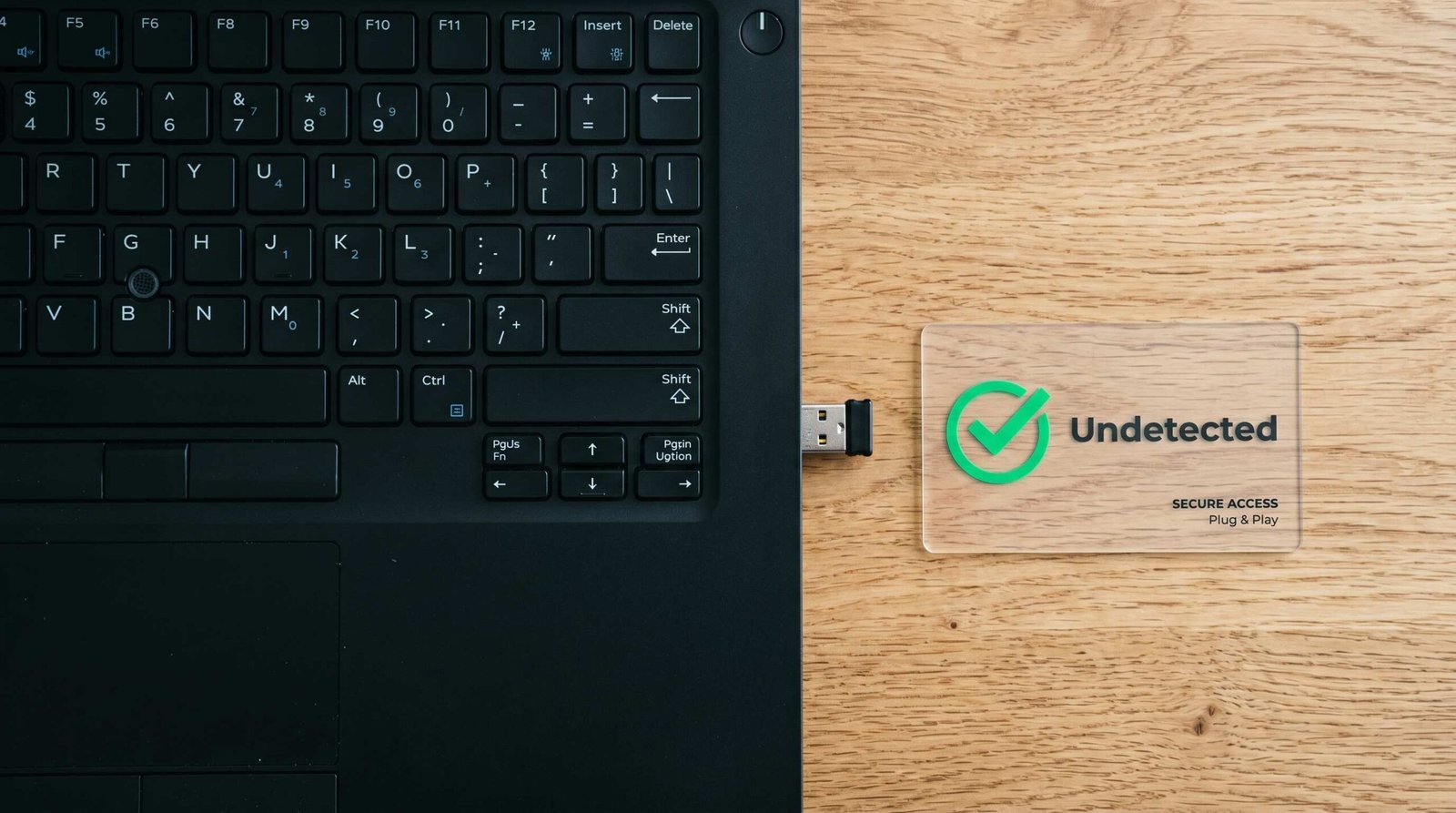
The reason hardware jigglers slip past monitoring software comes down to where they sit in your operating system’s stack. USB devices that implement the HID class communicate directly with the OS at the driver level. When a hardware mouse jiggler plugs in, Windows or macOS treats it identically to any other mouse. It’s just another input device sending movement events through the standard USB HID protocol.
The OS has no concept of “this is a jiggler versus a real mouse.” Both look like a series of relative coordinate updates: cursor moved x pixels right, y pixels up. Software monitoring tools that track process names, check the task manager, or scan for specific applications find nothing, because there is no application to find. The cursor movements come from a driver-level event, which is the same source as movements from a real mouse, a real touchpad, a tablet stylus, a touchscreen tap, or any other pointing device that has ever shipped with a computer.
That architectural fact is why hardware jigglers consistently beat software jigglers on detection. It is not that hardware jigglers are sneakier in a clever sense. They are just operating at a layer below where most monitoring software is looking. Monitoring tools designed for general endpoint protection focus on process behavior, file system access, and network activity, none of which a hardware jiggler touches. Specialized tools that inspect HID input streams exist, but they are rare in non-government enterprise environments, and they are expensive enough that most companies do not deploy them just to catch idle workers.
For the technical background, see the USB Human Interface Device class documentation, and for the Windows implementation specifically, Microsoft’s HID driver documentation covers exactly how the OS handles these inputs.
This is fundamentally different from software jigglers, which are applications that send synthetic mouse events via the Windows API. Those events come through a different code path. Monitoring software that knows what to look for can distinguish API-injected events from real HID events, although most consumer-grade monitoring doesn’t go that deep. For anyone on Windows specifically, our Windows-specific guide covers the platform-specific quirks in more detail.
Which Mouse Jiggler Is Right for You? (Quick Decision Guide)
Match your situation to a pick:
- On a personal device, don’t mind installing software: Mouse Jiggler by arkane systems. Free, open source, lightweight, and the Zen mode pattern is excellent.
- On a corporate machine, need hardware, want the best value: Vaydeer USB Mouse Jiggler. The default pick for most people.
- On a corporate machine, want the most undetectable option: TECH8 USA Undetectable Mouse Mover. Stripped-down real mouse chipset for the cleanest fingerprint.
- Tight budget, want hardware: AUEDROT Mouse Jiggler. Aluminum build, auto-pause when you use your real mouse.
- Need enterprise-grade reliability: CRU WiebeTech Mouse Jiggler. The original, used in digital forensics.
- No installation possible, no USB ports available: Browser-based option like Move My Cursor. Zero footprint, works inside any browser.
Most readers should buy the Vaydeer and be done with it. It is the right balance of price, features, and detection profile for the average remote worker. Upgrade to the TECH8 if you are worried about device fingerprinting specifically. Drop to the AUEDROT if you are price-sensitive. Step up to the WiebeTech only if you are in a high-stakes monitoring environment where reliability matters more than money. Skip software entirely if your machine is being watched by anything more sophisticated than a basic idle-timeout policy.
One more practical note: keep a spare. The most common failure mode we hear about is not detection, it is forgetting your jiggler at home or leaving it plugged into a hotel room desk. Hardware jigglers are cheap enough that buying two and keeping one in your travel bag is a smart move. The cost of being caught with your status idle at the wrong moment is far higher than the price of a backup unit.
FAQ: Best Mouse Jiggler Questions Answered
What is the most undetectable mouse jiggler?
Hardware USB jigglers are the most undetectable because they register as standard HID devices, indistinguishable from a real mouse to the operating system and to most software monitoring tools. The TECH8 USA is engineered specifically for this: it uses a stripped real mouse chipset to minimize its device fingerprint. No mouse jiggler, however, is undetectable by all monitoring software. Behavioral analytics tools can still flag unusual movement patterns over time, regardless of whether the input comes from a real mouse or a jiggler.
Will a mouse jiggler work on a locked corporate laptop?
A hardware mouse jiggler will work on any machine, including locked corporate laptops, because it operates at the OS level, not the application level. It requires no software installation or admin permissions. You just plug it into a USB port and it starts working immediately. Software jigglers, by contrast, typically require installation and admin rights, which means they’re often blocked on corporate devices before you can even run them.
Can IT see I’m using a mouse jiggler?
With a hardware jiggler, your computer’s device manager shows it as a standard “USB Composite Device” or “HID-compliant mouse,” no different from plugging in an extra mouse. IT software that monitors application processes won’t detect it. However, some advanced behavioral monitoring platforms analyze typing-to-mouse ratios, screenshot patterns, and other behavioral signals. A hardware jiggler doesn’t address those, so it’s worth understanding what your employer is actually monitoring before assuming hardware makes you invisible.
Is using a mouse jiggler legal?
Yes, using a mouse jiggler is legal. It’s a personal device you choose to plug in, and there’s no law against keeping your own computer active. Whether using one violates your employment contract or company policy is a separate question. Some employers have specific policies about unauthorized software and devices. A hardware jiggler is the lowest-risk option since it installs no software on the employer’s machine and leaves no trace once unplugged.
What’s the difference between hardware and software mouse jigglers?
Hardware jigglers are USB devices that send real mouse events at the OS level. Software jigglers are programs that simulate mouse movement via the Windows API. The key difference: hardware is invisible to monitoring tools because it looks like a real mouse to the operating system. Software is a running process that IT can see in the task manager, block via endpoint security, or investigate if flagged by monitoring tools.