

How to Read a Background Check Report: The Job Seeker’s Complete Guide (2026)
December 22, 2023 | by overemployedtoolkit.com
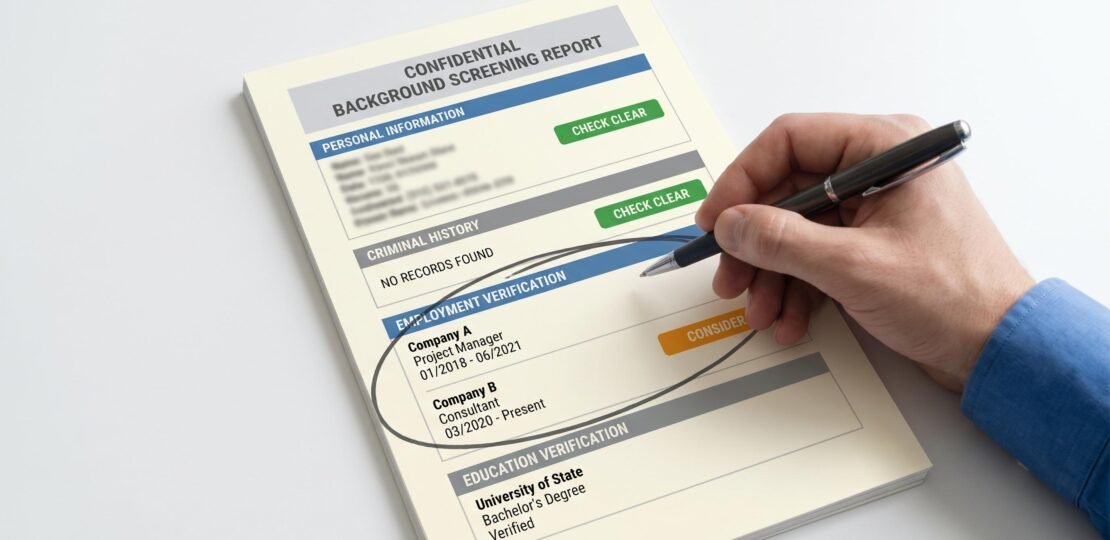
How to Read a Background Check: What Job Seekers (and Overemployed Workers) Actually Need to Know
A background check report shows your personal information, criminal history, employment dates, education credentials, and (for specific roles) credit or driving records. To read it, start with the personal information section to verify identity accuracy, then check each section’s status code (Clear, Consider, Pending). Under federal law you have the right to receive a copy and dispute any errors before an employer makes a final hiring decision.
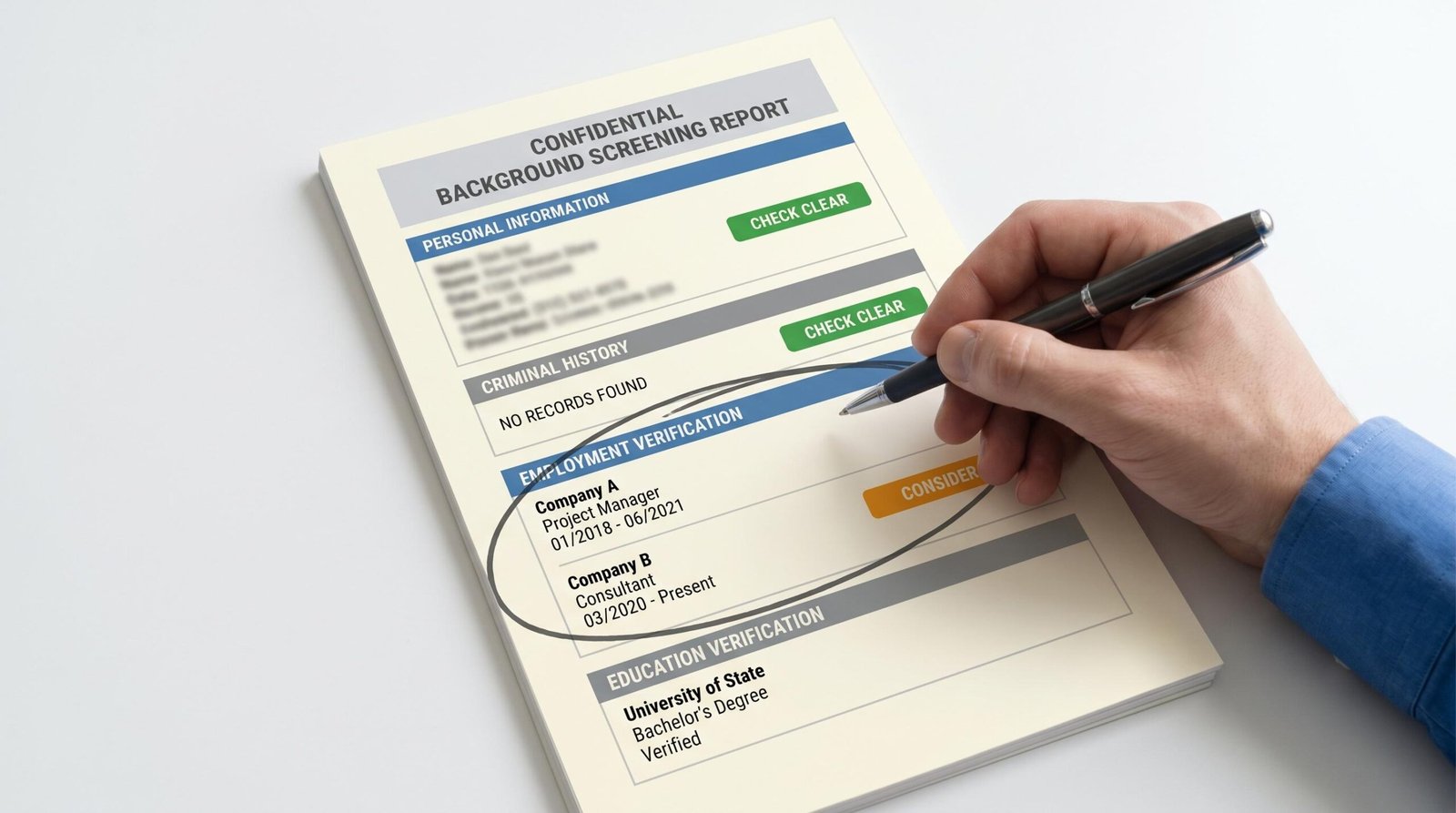
Most articles about background checks are written for HR teams. This one is written for you, the person whose name is on the report. If you are job hunting, switching roles, or working multiple remote jobs simultaneously, knowing exactly what a hiring manager sees when they open your file is the difference between confident negotiation and panicked guesswork. We will walk through every section of a typical report, explain what concurrent employment actually looks like on paper, and cover the legal rights you can exercise if something on the report is wrong.
What Is a Background Check Report?
A background check report is a document compiled by a consumer reporting agency (CRA) such as Checkr, HireRight, Sterling, Accurate Background, or Cisive at the request of an employer. The employer pays for the screening, the CRA pulls data from public records and verification calls, and the finished report is delivered to the employer’s hiring team for review.
You have the legal right to see what they see. The Fair Credit Reporting Act (FCRA) requires that you give written consent before the check is run, and it gives you access to the same report the employer receives. Most candidates never request a copy, which is why so much of what the report actually contains feels like a black box.
The check usually covers identity, criminal history, employment verification, education verification, and any role-specific add-ons (credit, driving record, professional license verification, drug screen). The depth depends on the package the employer purchased. A retail job might run a basic county criminal search. A finance role might run a global watchlist check, credit pull, and seven-year employment verification.
How to Get a Copy of Your Own Background Check
You have two clean paths to a copy of your report. The fastest one applies when an employer has already run the check on you.
Under FCRA Section 612, the consumer reporting agency must provide you a free copy within 60 days of any adverse action (rescinded offer, denied promotion, terminated employment) based on that report. You can also request a copy at any time directly from the CRA for a small fee, typically under $20. Ask the employer for the screening company’s name and contact information, they are legally required to disclose it.
The second path is ordering a background check on yourself before applying anywhere. Several CRAs sell consumer-direct reports: Checkr, Accurate Background, and GoodHire all offer self-screening packages in the $30 to $100 range. You can also pull your free annual credit report from each of the three major bureaus to spot identity issues that might cascade into a background check.
Ordering your own report ahead of time is the single most useful prep step for anyone juggling multiple roles, recovering from a record, or returning to work after a gap. You see exactly what the next employer will see.
The Main Sections of a Background Check Report
Most reports are organized into six standard sections regardless of which CRA produced them. The table below shows what each section contains and where job seekers (and especially the overemployed crowd) should focus their attention.
| Section | What It Shows | OE / Job Seeker Watch Point |
|---|---|---|
| Personal Information | Name, date of birth, Social Security number, current and previous addresses | Verify accuracy. Errors here cascade through the rest of the report, including pulling someone else’s records by mistake. |
| Criminal History | Felony and misdemeanor convictions, court dispositions, pending cases, sex offender registry | Check the status code (Clear, Consider, Pending). A “Consider” status is not an automatic disqualification. |
| Employment Verification | Dates of employment, job titles, employer names contacted | This is where concurrent employment becomes visible. Overlapping dates between two jobs will appear if both are verified. |
| Education Verification | Degrees earned, graduation dates, institution names | Verify your stated dates match the registrar’s records. Small mismatches get flagged. |
| Credit History | Payment history, accounts in collections, bankruptcies, derogatory marks | Only pulled for financial, executive, or sensitive roles. Requires separate consent. |
| Driving Records | License status, moving violations, DUI history | Only pulled for driving-related positions (sales reps, delivery, transportation). |
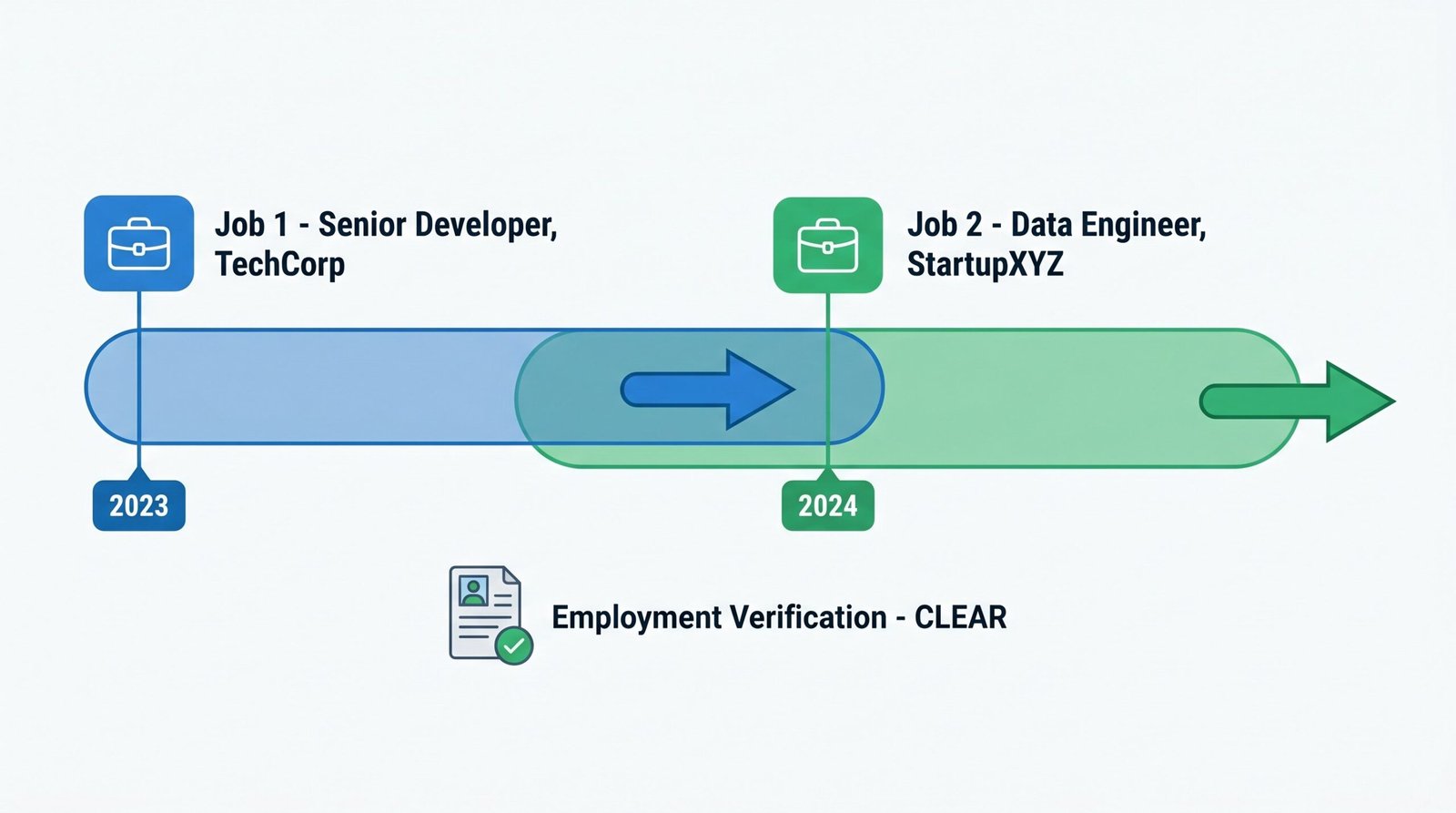
How Employment Verification Works (And What It Means for OE Workers)
Employment verification is the section that creates the most anxiety for anyone working more than one full-time job. Here is what actually happens inside that section of the report.
The CRA contacts each employer you listed on your application. For larger companies, the CRA often skips the phone call and queries The Work Number, an Equifax-owned automated employment database used by roughly 90 percent of large US employers, including most Fortune 500 companies, federal contractors, and large tech firms. The Work Number returns dates of employment, job title, and (with separate authorization) salary history.
What appears on the report is straightforward: start date, end date or “currently employed,” job title, and sometimes the employer’s confirmation that the role was full-time or part-time. The verification does not include a checkbox asking your employer whether you have a second job somewhere else. That data point simply is not part of the standard verification call or The Work Number record.
Here is the concurrent employment reality. If you listed Job 1 and Job 2 on your resume, both get verified, and the overlapping date ranges sit there in plain text. A hiring manager reading the file can do the date math. That visibility is the result of your own disclosure, not some hidden surveillance layer in the background check itself.
If you only listed Job 1 on your resume for the new application, Job 2 will not appear in the verified employment section, because the CRA does not know to contact that employer. The exception is The Work Number. A diligent CRA can query The Work Number across your Social Security number and surface records from any subscribing employer, including ones you did not list. Smaller employers often do not subscribe, so they rarely appear unless you put them on the application yourself. This nuance is the core of why people ask how Cisive verifies employment history, since different CRAs lean on The Work Number with different levels of intensity.
The practical implications break into two cases. If you list both jobs on your resume, the background check just confirms what you already disclosed. There is no surprise. The transparency reduces risk because the employer cannot accuse you of concealment. The risk profile rises when there is a gap or contradiction between what you stated on the application and what the report shows. A missing employer that surfaces through The Work Number, or a date mismatch of more than a few weeks, is what triggers manual review and follow-up questions.
For anyone weighing the broader picture, our coverage of whether overemployment is legal goes into the contractual and disclosure layer that sits on top of what the background check itself reveals.
Criminal History Status Codes Explained
Every criminal section on a modern report carries a status code at the top. The code tells the hiring manager at a glance what state the search is in. Misreading the code is one of the most common sources of candidate panic.
| Status | What It Means | What to Do |
|---|---|---|
| Clear | No disqualifying records found in any searched jurisdiction | No action needed. This is the green light. |
| Consider / Review | Records found that require manual human review | Review the record yourself. This is not an automatic disqualification. |
| Pending | Search is not yet complete or additional information is needed | May delay your start date. Respond to any CRA requests quickly. |
| Disputed | You or the candidate has formally flagged a record as inaccurate | Processing is paused while the dispute investigation runs. |
| Arrested / Not Convicted | An arrest record appears with no corresponding conviction | Know your EEOC rights. Arrests alone cannot disqualify you in many states. |
Different CRAs use slightly different language. Checkr uses “Clear” and “Consider.” HireRight uses “Meets Company Standards” and “Does Not Meet.” Sterling uses similar binary flags. The underlying logic is the same, and our breakdown of Big Report background check status codes walks through the equivalents across the major screening platforms.
What Does “Clear” and “Consider” Actually Mean?
“Clear” means the report found nothing that meets the employer’s adjudication matrix. The matrix is a set of rules the employer configured with the CRA: what offenses, in what time windows, in what jurisdictions, count against the role. A clear status is the most common outcome by a wide margin.
“Consider” means a record exists that matches the matrix and needs human eyes. It does not mean rejected. It means a recruiter, an HR specialist, or an adjudication team has to look at the specific record and decide whether it actually disqualifies you given the role and your context. Per EEOC background check guidance, the employer must conduct an individualized assessment that weighs the nature of the offense, how much time has passed, and the nature of the job. They cannot apply a blanket disqualification for any criminal record.
If you see “Consider” on your own report, do not panic. Read the underlying record. Confirm it is actually yours. Confirm the disposition (convicted, dismissed, expunged) is accurate. If the record is wrong or has been sealed, you have grounds for a dispute and the law is on your side.
Your Rights Under the Fair Credit Reporting Act (FCRA)
The FCRA is the federal statute that governs every background check run for employment purposes in the United States. It gives you five rights that most candidates never know they have.
First, you have the right to be notified, in writing, that a background check will be conducted. The disclosure must be a standalone document, not buried inside a 30-page employment application. You must sign a separate written consent.
Second, you have the right to a copy of the report if the employer plans to take any adverse action based on it. The process has two stages. The employer must first send you a pre-adverse action notice along with the full report and a copy of your FCRA rights. They must wait a reasonable period (typically five business days) before sending the final adverse action notice. That window is your chance to dispute errors before the decision becomes final.
Third, you have the right to dispute any inaccuracies directly with the consumer reporting agency. The CRA has 30 days to investigate.
Fourth, you have the right to know the name, address, and phone number of the consumer reporting agency that produced the report. The employer is required to provide this information on request.
Fifth, most negative information is subject to a seven-year reporting limit. Criminal convictions can stay on a report indefinitely in most states, but arrests without conviction, civil judgments, paid tax liens, and most collection accounts must fall off after seven years. The Fair Credit Reporting Act requirements for employers lay out the full set of duties on the employer side, which is useful context when you are asserting your rights.
How to Dispute Errors in Your Background Check
Disputes work. The CRA has a financial incentive to maintain accuracy, and the FCRA gives them tight timelines to investigate. Most disputes get resolved in your favor when you have documentation.
Step one. Request a complete copy of the full report from the screening company. If you do not know which company ran it, ask your employer. They are required by law to tell you.
Step two. Identify the specific error. Common errors include a wrong date of employment, a job title that does not match what you held, an employer mistakenly listed twice, or, more seriously, criminal records attached to your Social Security number that belong to someone with a similar name or birthdate.
Step three. Submit a written dispute directly to the consumer reporting agency, not to the employer. Include supporting documentation: pay stubs, W-2s, offer letters, court records, anything that proves the correct information.
Step four. The CRA has 30 days to investigate (45 days if you submit additional supporting documentation during the investigation). They must contact the source of the disputed information and verify it.
Step five. If the record was inaccurate, the CRA must correct it or remove it entirely. They must also send a corrected copy to any employer that received the original report within the past two years.
Step six. If you disagree with the investigation result, you have the right to add a 100-word statement to your file explaining your side. This statement travels with any future report. You can also dispute credit-related errors through the CFPB if the issue involves your credit report and the CRA’s response was inadequate.
One scenario worth flagging. If you are dealing with the aftermath of a job loss tied to disclosure issues, our guide to what happens if you get fired for being overemployed covers the documentation steps that protect your future background checks.
FAQ Section
How long does a background check take?
Most standard background checks complete within 1 to 5 business days. Criminal database searches are often returned immediately. Employment and education verifications that require contacting employers or schools directly can take 3 to 7 days. International checks take longer, sometimes 2 to 4 weeks, because they depend on records access in the relevant country.
How far back does a background check go?
Federal law (FCRA) generally limits reporting of negative information to seven years for most items, including arrests without conviction, civil suits, civil judgments, paid tax liens, and accounts placed for collection. Criminal convictions can appear indefinitely in most states, though California, New York, Massachusetts, and a few others set stricter limits. Employment history typically covers however many years the employer configured the report for, usually 7 to 10 years.
Will having two jobs at the same time show up on a background check?
Yes, if both employers are listed on your resume or are in The Work Number database. Background checks confirm employment dates, and overlapping date ranges are visible if both jobs are verified. The check reports the dates. It is up to the employer to interpret them. Simply having two concurrent jobs is not itself a disqualifying flag, though it may prompt questions about hours, contractual obligations, and availability.
Can an employer see that I am currently employed somewhere else?
Only if they run a full employment verification against that employer’s records or query The Work Number. Most background checks only verify employment you listed on your application. However, some thorough checks pull The Work Number data across all your employment history, which can surface current employment at another company that you did not list. Whether that data appears depends on whether your current employer subscribes to The Work Number.
What happens if my background check comes back with a “Consider” status?
A “Consider” status means the report contains records that need human review. It does not mean you are automatically disqualified. The employer must conduct an individualized assessment per EEOC guidance before taking adverse action. You have the right to receive a pre-adverse action notice along with a copy of the report and a summary of your FCRA rights before the employer makes a final decision, giving you time to dispute any errors.
Can I dispute a background check error before I lose a job offer?
Yes. Under the FCRA, if an employer plans to take adverse action based on your background check, they must first send you a pre-adverse action notice with a copy of the report. You typically have at least five business days to dispute any errors directly with the consumer reporting agency. During this window, the employer cannot finalize the adverse action. Submit your dispute in writing with documentation, and notify the employer that a dispute is in progress.
RELATED POSTS
View all


Overemployed Project Manager: Why PMs Are Built for OE (And How to Do It Right)
May 19, 2026 | by Ian Adair